From material to deck
Start with a free topic, a text file or a PDF and develop a controlled flashcard draft manually or with AI support.
- ✓explicit source selection
- ✓preview before importing
- ✓your own deck files instead of portal lock-in
Pauk is a local Windows app for exam-focused flashcards: create cards from topics, text files and PDFs, review card quality with optional AI, sort and refine your deck, and track exam readiness until exam day.
Current version: 1.0.13 for Windows
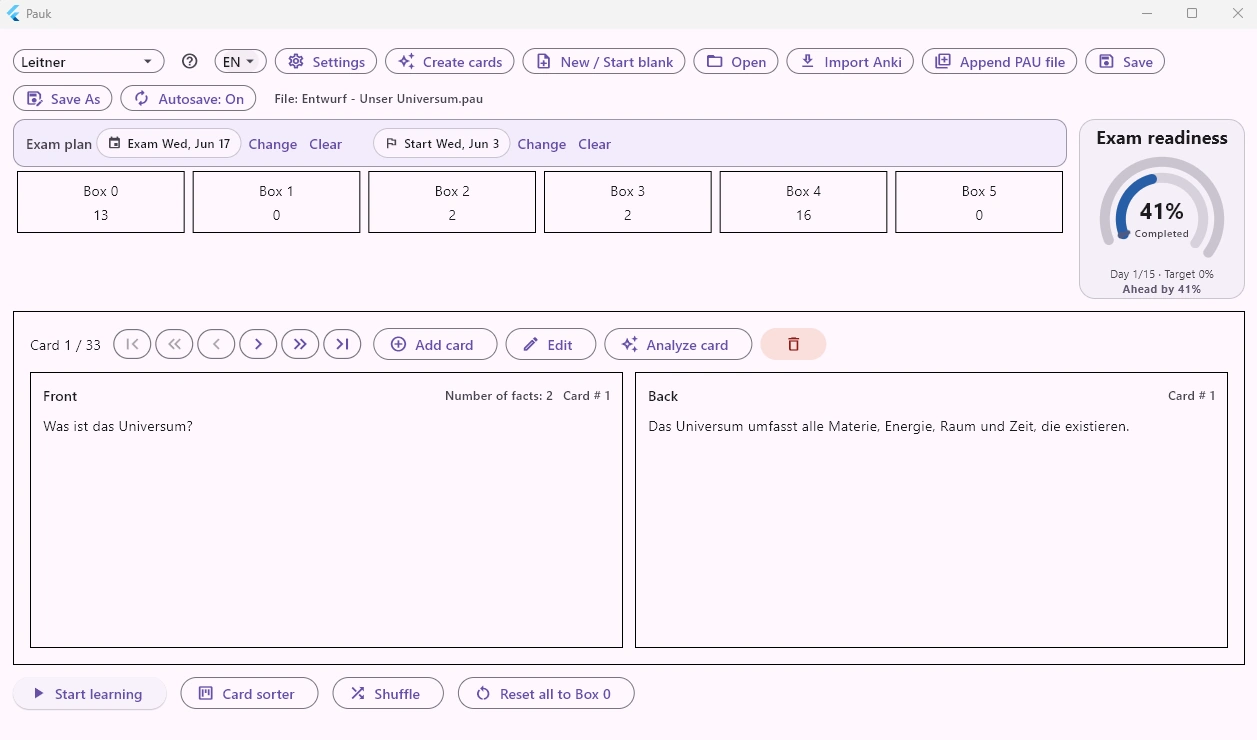
Many learning apps start with finished flashcards. Pauk starts where the real work begins: with your script, PDF, notes and the question whether your cards are actually learnable.
Start with a free topic, a text file or a PDF and develop a controlled flashcard draft manually or with AI support.
Pauk reviews existing cards with optional AI support and shows concrete improvements for clarity, fact focus and learnability.
Exam readiness connects your exam date, preparation start, and weighted learning progress. The Leitner card system, Kick, spaced repetition, and the Learning Assistant help you study with purpose.
The most relevant product strengths in one place.
Pauk creates controlled drafts, groups them into topic clusters, and lets you review what really enters your deck.
Pauk supports clear questions, manageable fact counts, and learnable, as-atomic-as-possible answers.
Your exam date, preparation start, and weighted progress provide a plan-versus-actual view of whether you are on track for exam day.
Study with the Leitner system, Kick, or spaced repetition – or let the Learning Assistant optimally manage your study flow.
Reorder cards with drag and drop, control sequence directly, and keep structure even when decks grow.
If you spot an issue while studying, edit the card right away and continue from the same learning card.
Decks remain local .pau files. Optional AI functions use your own OpenAI API key. Learn more about the local flashcard app
Pauk combines creating, reviewing and learning in one continuous flow instead of separate isolated steps.
You do not study with static cards; you continuously refine them while learning.
Power features in the learning flow
Download
The download link is loaded automatically from the update manifest, so this page always points to the currently published Windows version.
Pauk itself is free. Optional AI features such as creating flashcards and analyzing cards require your own OpenAI API key. The key is not provided by Pauk and is stored locally on your device. Classic flashcards, deck files, Leitner mode, spaced repetition and exam progress work independently of that.
Release info
Version: 1.0.13SHA256: C4B91735C733431D0CBBDBC3FA42DF667B440738FD580289502A07A43F9A2004